

Hi All
I know I am not the first so can someone tell me how to put pictures on an advert please .
thanks Bill.
Pictures
Moderators: hot66, Miggs, 58A - 71E, impmad2000, drummerboytom, Barry, Helen, Viv_Surby, Derek, KS, abm914, Mike Usiskin
-
Bootsy
- Site admin and the Boss
- Posts: 25750
- Joined: Sat Nov 08, 2003 6:09 pm
- Location: Norwich
- Contact:
There's a step by step guide at the top of general chat
1972 911T | 1994 993 Carrera | 1999 986 Boxster |
Vintage Heuer, Omega, Zenith and other vintage watches - http://www.heuerheritage.co.uk
Vintage Heuer, Omega, Zenith and other vintage watches - http://www.heuerheritage.co.uk
-
Dakota
- DDK forever
- Posts: 586
- Joined: Thu Oct 25, 2007 10:46 pm
- Location: SE London under a rusty car
Hi Bootsy
sorry I am a luddite and despite following your instructions only ended up with the text address for the picture appearing , what am I doing wrong , any ideas??
thanks Bill
sorry I am a luddite and despite following your instructions only ended up with the text address for the picture appearing , what am I doing wrong , any ideas??
thanks Bill
I am a person of simple pleasures so if you don't have any simple pleasures to offer me, beer, pizza or Porsche bits etc kindly leave me be, XX.
-
Lightweight_911
- Nurse, I think I need some assistance
- Posts: 18010
- Joined: Wed Nov 12, 2003 10:48 pm
- Location: Worcs/W Mids border
-
Helen
- Events Organiser
- Posts: 5519
- Joined: Wed Mar 10, 2004 8:55 pm
- Location: Cumbria
Bill, the address (code) for your picture needs to end with jpg
if there any numbers (or anything) after jpg then delete them.
if you click quote on this post then it will show you the code i used to do this..

if i don't remove the text after jpg then it won't work
eg:

in other words:
i have had to delete ?v=0 off the pictures address in order for it to work.
if there any numbers (or anything) after jpg then delete them.
if you click quote on this post then it will show you the code i used to do this..
if i don't remove the text after jpg then it won't work
eg:
in other words:
i have had to delete ?v=0 off the pictures address in order for it to work.
member#1182
Currently Porscheless but on the look out for my 30th
Currently Porscheless but on the look out for my 30th
-
Dakota
- DDK forever
- Posts: 586
- Joined: Thu Oct 25, 2007 10:46 pm
- Location: SE London under a rusty car
-
Dakota
- DDK forever
- Posts: 586
- Joined: Thu Oct 25, 2007 10:46 pm
- Location: SE London under a rusty car
-
Dakota
- DDK forever
- Posts: 586
- Joined: Thu Oct 25, 2007 10:46 pm
- Location: SE London under a rusty car
Ho hum
it would appear this is not working for me. Could I email someone a picture to see if they receive it and can tell me the correct way to write the address, thanks Bill.
it would appear this is not working for me. Could I email someone a picture to see if they receive it and can tell me the correct way to write the address, thanks Bill.
I am a person of simple pleasures so if you don't have any simple pleasures to offer me, beer, pizza or Porsche bits etc kindly leave me be, XX.
-
Bertroex
- DDK 1st, 2nd and 3rd for me!
- Posts: 2052
- Joined: Sat May 07, 2005 11:52 am
- Location: Brewood, Staffs
Bill,
No panic. YOu have hosted your pictures on your (or Anna' s Dell) computer. But for it to show in message boards you need to upload them to a "host", an online place to store pictures.
I use www.photobucket.com but there are others.
Load your pictures and then you will see a couple of "addresses" underneath the pictures. Choose the one for "messageboards" which will look like

whereby the square brackets [] will have the code IMG or img in them: [img]
That one will shop up here on the board.
Keep the faith!
Bert
No panic. YOu have hosted your pictures on your (or Anna' s Dell) computer. But for it to show in message boards you need to upload them to a "host", an online place to store pictures.
I use www.photobucket.com but there are others.
Load your pictures and then you will see a couple of "addresses" underneath the pictures. Choose the one for "messageboards" which will look like
whereby the square brackets [] will have the code IMG or img in them: [img]
That one will shop up here on the board.
Keep the faith!
Bert
-1968 912 SWB Targa LHD
-1976 911 Carrera 3.o Targa RHD
-1983 944 190bhp (Augment Automotive enhanced) RHD
-1993 964 C4 Jubi RHD
-1979 280SLC manual LHD, 1989 500SL, 1997 SL500,
Ex 1976 911 2.7 Targa, 1979 911 SC, 1983 930, etc
-1976 911 Carrera 3.o Targa RHD
-1983 944 190bhp (Augment Automotive enhanced) RHD
-1993 964 C4 Jubi RHD
-1979 280SLC manual LHD, 1989 500SL, 1997 SL500,
Ex 1976 911 2.7 Targa, 1979 911 SC, 1983 930, etc
-
Dakota
- DDK forever
- Posts: 586
- Joined: Thu Oct 25, 2007 10:46 pm
- Location: SE London under a rusty car

Last edited by Dakota on Fri Feb 20, 2009 10:54 pm, edited 4 times in total.
I am a person of simple pleasures so if you don't have any simple pleasures to offer me, beer, pizza or Porsche bits etc kindly leave me be, XX.
-
Dakota
- DDK forever
- Posts: 586
- Joined: Thu Oct 25, 2007 10:46 pm
- Location: SE London under a rusty car
-
hot66

- Moderator
- Posts: 19269
- Joined: Tue Nov 11, 2003 4:17 pm
- Location: North Yorkshire

-
hot66
- Moderator
- Posts: 19269
- Joined: Tue Nov 11, 2003 4:17 pm
- Location: North Yorkshire
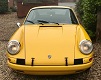
is this what you're trying to post ?

if it is, in your photobucket album, copy the info in the IMG CODE section located under the photo you want. Then paste direct into your post on here
if it is, in your photobucket album, copy the info in the IMG CODE section located under the photo you want. Then paste direct into your post on here
James
1973 911 2.4S
1993 964 C2
2010 987 Spyder
1963 Honda C100 Supercub
Its not how fast you go, but how you go fast
1973 911 2.4S
1993 964 C2
2010 987 Spyder
1963 Honda C100 Supercub
Its not how fast you go, but how you go fast
-
Dakota
- DDK forever
- Posts: 586
- Joined: Thu Oct 25, 2007 10:46 pm
- Location: SE London under a rusty car
-
Ian 2.2S
- DDK rules my life!
- Posts: 1075
- Joined: Thu Nov 20, 2003 2:48 pm
- Location: Nottingham
Bill
When you are in your Photobucket album. move the cursor over photo and it will bring up a little screen with various links/codes. Left click to highlight IMG code, right click and then left click on copy. Then go back to your message, right click, then left click on paste. There ya go!
I think.
Cheers
Ian
When you are in your Photobucket album. move the cursor over photo and it will bring up a little screen with various links/codes. Left click to highlight IMG code, right click and then left click on copy. Then go back to your message, right click, then left click on paste. There ya go!
I think.
Cheers
Ian